Do You Need Mesh WiFi?
You need mesh WiFi when one well-placed router can't reliably reach the rooms you use. If coverage is already steady, or your internet is slow beside the router too, solve that problem before adding nodes.
On this page (11 sections)
- Do you need mesh WiFi or a better router?
- What signs suggest mesh would help?
- What should you try before buying mesh?
- Which equipment should you check before ordering?
- When should you choose the eero 6 one-pack?
- When is the Google Nest Wifi two-pack a better fit?
- When should you choose the Netgear Nighthawk RS100?
- How should you set up and care for mesh nodes?
- Does mesh WiFi make your internet faster?
- Frequently asked questions about mesh setup
- Do you need mesh WiFi? Make the final choice
You need mesh WiFi when one well-placed router can't reliably cover the rooms you use. If you're asking “do I need mesh WiFi?” because everything feels slow, first check whether the connection also struggles beside your router.
Mesh uses a main router and extra nodes that spread WiFi through your home. It helps with coverage gaps, but it won't repair an internet service outage or make your broadband plan faster.
Do you need mesh WiFi or a better router?
Choose mesh for separated coverage gaps and a single router when one central location can serve your home. A newer WiFi standard alone won't solve a difficult floor plan.
Use the same phone or laptop near the router, in your work area, and in the weakest room. Compare connection stability and speed, then check another device in any problem area.
- Good near the router, poor farther away: investigate coverage and placement.
- Poor throughout the home: check your internet service and main equipment first.
- Only one device struggles: check that device's software, settings, and connection.
- Trouble mainly during busy periods: consider how much internet capacity everyone shares.
If possible, compare an Ethernet connection with WiFi. A poor wired connection points away from wireless coverage as the main cause.
Our complete guide to mesh WiFi systems explains the equipment, while mesh WiFi versus an extender helps with a single weak area.
What signs suggest mesh would help?
Repeatable dead zones across several devices are the strongest reason to add coverage points. Focus on places where you need a dependable connection, rather than every unused corner.
Mesh can make sense when video calls break up upstairs, streaming stops at the far end of the house, or devices disconnect behind several walls. A long hallway or separate wings can also make one router location hard to use.
A busy household doesn't automatically need mesh. Several people working near a capable router may need more internet capacity, while one person working in a distant room may need better coverage.
Do I need mesh WiFi in a small home?
You can need mesh in a small home if walls or router placement split the space into weak areas. A larger open-plan home may be easier for one router to cover.
Don't choose a pack size from square footage alone. Mark the modem location, thick walls, floors, and rooms where the connection fails before deciding how many WiFi points you need.
What should you try before buying mesh?
Start with a better router position and a service check. Move the router into an open spot, above floor level, with room around it for ventilation.
Avoid cabinets, large metal objects, and hiding the router behind a television. Move it toward the center of the areas you use if the incoming connection allows.
Check for service outages and install available firmware updates. Restart equipment when troubleshooting a new fault, but don't accept daily restarts as the solution to an ongoing problem.
For a desk or television that stays in one place, Ethernet may solve the problem directly. If cable already reaches a distant area, a wired access point may also avoid replacing the entire network.
Which equipment should you check before ordering?
Confirm what connects to your internet service and which device will manage the network. A mesh router generally connects by Ethernet to a modem, fiber connection device, or provider gateway.
Mesh doesn't replace a cable modem's job. Our guide to whether a WiFi router is the same as a modem explains the difference.
If your provider box already handles routing, follow both brands' instructions for bridge mode or another supported arrangement. Running two routers without planning their roles can complicate gaming, remote access, and device connections.
Check Ethernet connections too. If you want wired links between nodes, confirm that the exact units support that setup and have enough ports for your other equipment.
When should you choose the eero 6 one-pack?
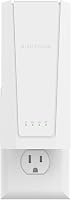
Choose the eero 6 one-pack for a router replacement with room to expand. It suits someone who wants to check coverage from one improved location before adding compatible eero hardware.
This WiFi 6 router supports internet plans up to 900 Mbps and 75+ connected devices. eero gives coverage of up to 1,500 sq. ft.; walls and placement still determine the usable reach.
The eero app guides setup and supports remote network management. Automatic updates handle ongoing firmware care, and the built-in Zigbee hub connects compatible smart home devices with Alexa.
Skip this one-pack if you already need several coverage points immediately. One unit provides one WiFi location, so buying it alone won't place a second source of signal upstairs or across the house.
When is the Google Nest Wifi two-pack a better fit?
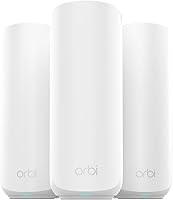
Choose the Google Nest Wifi two-pack when you need two WiFi locations from the start. It includes 2 router units, with Ethernet ports on each, and can expand with Nest Wifi routers or points.
Google advertises coverage up to 4,400 sq. ft., though its coverage notes also describe a router-and-point arrangement. Use that figure as planning guidance rather than a room-by-room promise.
App setup, guest networking, device priority, and parental controls suit a household that wants common controls in one place. Automatic updates reduce routine upkeep.
Skip this set if your current router already covers the home, or if poor internet service is the real bottleneck. Google's connected-device claim also assumes light traffic per device, so don't confuse a high device count with capacity for everyone to stream at once.
When should you choose the Netgear Nighthawk RS100?
Choose the Netgear Nighthawk RS100 for a single-router layout with wired devices. It's a standalone dual-band WiFi 7 router, rather than a multi-unit mesh kit.
Its 2.5 Gig WAN connection accepts a faster incoming Ethernet link, while 4 Gigabit LAN ports serve equipment such as computers, consoles, and televisions. A faster WAN port doesn't make an individual Gigabit LAN connection faster than its own limit.
NETGEAR's coverage estimate applies to open layouts. Skip it as a coverage fix for several separated rooms or floors where you already know one router location falls short.
The RS100 is for US use and requires a separate modem or gateway. NETGEAR Armor continues by subscription after its trial, so separate that optional service from your basic router needs.
For homes that need multiple coverage points, compare the best mesh WiFi systems. Our guide to choosing a mesh WiFi system explains the next buying checks.
How should you set up and care for mesh nodes?
Place each wireless node where it still receives a strong connection, then use it to reach the weaker area. A node deep inside a dead zone has little useful signal to pass along.
- Connect the main unit to your internet equipment and complete the guided setup.
- Add one node near the edge of reliable coverage, toward the problem room.
- Check the app's connection guidance and try your normal calls or streams there.
- Move the node before deciding to add another.
For placement details, see how far apart mesh WiFi nodes should be.
Keep units uncovered and their vents clear of dust. Leave automatic updates enabled where available, secure the management account, and use a guest network for visitors.
Avoid adding nodes simply because outlets are available. Too many closely spaced units can add interference without improving the rooms that need help.
Does mesh WiFi make your internet faster?
Mesh can improve usable speed in a weak-signal room, but it doesn't raise your internet plan's limit. Wireless nodes also use network capacity to communicate with the rest of the system.
Wired backhaul can reduce that wireless load when the equipment supports it. For demanding work or gaming, a wired connection to the main network is worth considering.
Don't compare a router's headline WiFi speed directly with your broadband speed. Advertised wireless totals aren't a promise of what one phone or laptop will receive.
Frequently asked questions about mesh setup
Placement and network roles matter as much as node count. Set up each unit for a clear purpose before adding more hardware.
Will mesh WiFi work with my internet provider?
Mesh can work with your provider when the system supports your connection and equipment. Google says Nest Wifi works with most providers, while the RS100 needs an Ethernet connection from a modem or gateway.
Check any provider requirements for phone or television service before changing gateway settings.
Can I keep my current router with mesh WiFi?
You can sometimes keep it, but decide which device handles routing. Depending on the equipment, the supported setup may use gateway bridge mode or an access-point mode on the new system.
Follow model-specific instructions rather than disabling settings at random.
How many mesh nodes do I need?
Use the fewest nodes that cover your regular spaces reliably. Start with the floor plan and workable node positions, then add another only if a meaningful gap remains.
A coverage estimate can't account for every wall, floor, or neighboring network.
Do you need mesh WiFi? Make the final choice
Choose Google Nest Wifi's two-pack when you need two coverage locations now. Choose eero 6's one-pack when one router may be enough and compatible expansion matters.
Pick the Nighthawk RS100 when an open layout suits one router and you need its wired connections. Keep your current equipment if moving it solves the problem.
If you're still asking “do I need mesh WiFi?”, base the purchase on a specific room that remains unreliable after those checks. Compare mesh WiFi versus an extender for one isolated gap, or read whether a mesh WiFi system is worth it before replacing the whole setup.
Frequently asked questions
How do I know if I need mesh WiFi?
You likely need mesh WiFi if several devices work well near the router but lose their connection in the same distant rooms. Move the router into an open, central spot first, then check those rooms again; if the trouble follows just one device, address that device before buying more network equipment.
Is mesh WiFi better than a regular router?
Mesh is better for spreading coverage across separated rooms or floors when one router can't reach them reliably; a regular router is simpler when it already covers your home. Neither choice can raise your internet plan's speed, and wireless mesh nodes still need a strong connection back through the system.
Do I need mesh WiFi for a small house?
A small house usually doesn't need mesh if one centrally placed router covers the rooms you use; thick walls, a long layout, or a router stuck at one end can still create gaps. Check the actual problem areas before buying, since floor area alone doesn't tell you how far WiFi will reach.
Should I get mesh WiFi or an extender?
Choose mesh for several weak areas or for coverage across multiple floors; an extender can suit one isolated room if you can place it where the router's signal is still strong. If Ethernet already reaches the weak area, a wired access point is another option to consider before replacing your whole network.