Is a WiFi 7 Router Worth It?
A WiFi 7 router is worth it when compatible devices can use its features or your current router limits your connection. Keep a working WiFi 6 router if it already covers your home and handles your daily use.
On this page (8 sections)
- Is a WiFi 7 router worth it for your home?
- What can WiFi 7 improve?
- What should you check before upgrading?
- Is a single router enough, or do you need mesh?
- Which router fits your reason for upgrading?
- How should you set up and maintain a new router?
- What mistakes make a WiFi 7 upgrade disappointing?
- So, is a WiFi 7 router worth it for you?
A WiFi 7 router is worth it when it removes a limit you actually notice, such as a router holding back compatible devices or a fast internet connection. If your WiFi 6 network already handles calls, streaming, and downloads across your home, keep it.
Start with the problem, then choose the hardware. A newer wireless standard won't raise your internet plan's speed or fix poor router placement.
Is a WiFi 7 router worth it for your home?
WiFi 7 makes the most sense when you're replacing a limiting router and have devices that can use its features. It's less useful as an upgrade based only on the number on the box.
You don't need a multi-gig internet plan to benefit from faster transfers within your home. Moving large files between local devices can also benefit, provided the devices, network connections, and storage can keep up.
For everyday browsing and video calls that already work well, extra peak speed offers little practical value. Put coverage and stable connections ahead of headline speed.
For a closer comparison of the standards, see WiFi 6 vs WiFi 7. Our guide to how much a WiFi router costs explains which features can affect your budget.
What can WiFi 7 improve?
WiFi 7 can increase wireless capacity and add connection features, but routers carrying the same standard can offer different capabilities. Compare the actual bands, ports, and controls before choosing.
Multi-link operation, or MLO, lets compatible equipment use multiple wireless links. Both the router and device must support the relevant mode, so check compatibility before making it your reason to upgrade.
Don't assume every WiFi 7 router includes a 6 GHz band or 320 MHz channels. The ASUS and NETGEAR models below are dual-band options using 2.4 GHz and 5 GHz.
Advertised combined speeds add capacity across bands. They don't describe the internet speed one laptop will receive, and a slow internet plan remains a limit for online downloads.
Will a WiFi 7 router make older devices faster?
Older devices keep their own wireless limits, even when connected to a newer router. Replacing a weak or poorly placed router may improve their connection, but they won't gain WiFi 7 features.
Check the wireless standard of your main phone and laptop first. Smart plugs and other low-traffic devices rarely justify a router upgrade on speed alone.
What should you check before upgrading?
Check where the slowdown happens and which connection limits it. This helps you avoid replacing a router when the problem lies with your service, device, or coverage.
- Compare wired and wireless performance. Check a wired connection when possible, then compare WiFi near the router and in the problem room.
- Confirm your internet plan. If wired performance is also poor, check the modem, gateway, cables, and provider connection before blaming WiFi.
- Check your busiest devices. Look for WiFi 7 support and any specific feature you plan to use.
- Map wired connections. A multi-gig internet connection needs suitable ports along its path, including on the device if you want multi-gig wired speed.
- Identify coverage gaps. Good performance nearby and poor performance upstairs points toward placement or coverage.
Use the best WiFi 7 routers guide once you've identified the features you need. For distant rooms, compare WiFi routers for large homes before deciding that one router will be enough.
Is a single router enough, or do you need mesh?
Choose mesh when one well-placed router can't reach the rooms you use. A WiFi 7 label doesn't mean a signal will pass through thick walls or several floors.
Start by moving your current router into an open, central position. Avoid a cabinet, the floor, or a spot behind a TV.
Mesh nodes also need a good connection to the rest of the network. Putting one inside the dead zone can leave it repeating a weak signal.
Read Do You Need Mesh WiFi? and how far apart mesh WiFi nodes should be before buying extra units. For layout and connection choices, use how to choose a mesh WiFi system.
Which router fits your reason for upgrading?
Choose by the feature or coverage need that prompted the upgrade. These options cover network controls, a standalone WiFi 7 connection, and an expandable WiFi 6 setup.
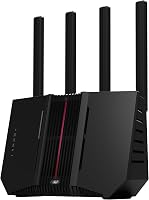
Is the ASUS RT-BE58U WiFi 7 Router a fit for you?
The ASUS RT-BE58U suits buyers who want MLO and more ways to manage household devices. Smart Home Master supports up to 3 SSIDs for uses such as smart home devices and VPN connections, alongside parental controls.
Its combined wireless speed is up to 3,600 Mbps, with channel bandwidth up to 160 MHz. Wired connections include 1 2.5G port and 4 1G ports.
USB mobile tethering support is useful if a backup connection matters to you. Check phone, carrier, and tethering requirements before relying on that option during an outage.
Choose this model if you'll use its controls or compatible MLO connections. Skip it if your main goal is 6 GHz access, or if a distant room needs another access point rather than a different central router.
Is the Netgear Nighthawk RS100 a fit for a fast plan?
The Netgear Nighthawk RS100 suits a US home seeking a standalone WiFi 7 router with app-guided management. Its Nighthawk app supports setup, guest networks, device pausing, and remote management.
NETGEAR claims coverage up to 2,000 sq. ft. in open layouts and support for up to 50 devices. Treat coverage as a planning estimate because walls, floors, and interference reduce range.
The 2.5 Gig WAN port accepts a multi-gig connection from your modem or gateway. Its 4 Gigabit LAN ports mean an individual wired device won't receive multi-gig speed through one LAN connection.
Choose it for this mix of connections and app controls. Skip it outside the US, or when you need multi-gig LAN connections; NETGEAR Armor also requires a separate subscription after its 30-day trial.
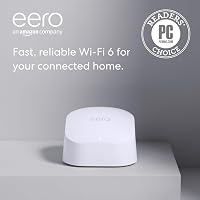
Is the eero 6 (1-pack) enough if WiFi 7 isn't needed?
The eero 6 suits buyers who want guided setup and an expandable network without needing WiFi 7. It supports internet plans up to 900 Mbps, and eero claims coverage up to 1,500 sq. ft. with 75+ connected devices.
The built-in Zigbee hub connects compatible smart home devices with Alexa. Cross-compatible eero hardware gives you a way to expand coverage later.
Choose it when those setup and smart home features match your needs. Skip it for plans above its supported range or when you specifically want WiFi 7 capabilities.
A 1-pack still contains just one unit. Expandability is useful, but it doesn't make a single unit cover every room.
How should you set up and maintain a new router?
Connect it correctly and check coverage before changing advanced settings. A clear starting point makes later problems easier to trace.
Keep your provider's required modem or gateway. If you're unsure which box does what, read whether a WiFi router is the same as a modem.
Connect the modem or gateway's Ethernet output to the new router's WAN port, then follow its setup guide. Some provider gateways need bridge mode when a separate router handles the network.
Use a strong administrator password and keep firmware updates enabled. Save your provider's setup details before changing gateway settings.
Check calls, downloads, and device connections in the rooms you use. If a smart home device struggles to join, follow its setup instructions and check its band and security requirements.
Keep vents clear and remove dust gently from the outside. Recheck placement after moving furniture, and investigate repeated dropouts instead of making frequent restarts your routine fix.
What mistakes make a WiFi 7 upgrade disappointing?
Buying for headline speed while ignoring the connection path is the main mistake. A slow port, older client, weak signal, or limited internet plan can prevent the expected improvement.
Don't use device counts as a promise that every device can run heavy traffic at once. Several idle smart plugs place far less demand on a network than several active downloads.
Avoid changing placement, security settings, and several other options together. Make one change at a time so you can tell which change helped.
Also check optional service costs before choosing. Decide whether you need subscription features rather than treating a trial as a permanent inclusion.
So, is a WiFi 7 router worth it for you?
A WiFi 7 router is worth it when you can name the limit it will remove. Choose the ASUS for its network controls and MLO support, or the RS100 for its app tools and standalone connection setup.
Choose the eero 6 when its supported plan range, guided setup, and expansion path fit your household. Keep your existing router when daily use already works well.
If one room remains the problem, start with whether you need mesh WiFi. Solve that coverage gap before paying for a faster wireless standard.
Frequently asked questions
Is WiFi 7 worth it for a regular home?
WiFi 7 is worth considering when you're replacing a limiting router and have compatible devices that can use its features. For browsing, streaming, and calls that already work well, keep your current router; check coverage and your internet plan before paying for a newer wireless standard.
Do I need WiFi 7 devices to use a WiFi 7 router?
No, a backward-compatible WiFi 7 router can connect older devices, but those devices keep their own wireless limits. The Netgear Nighthawk RS100 supports WiFi 6 and earlier devices; check the devices you use most before upgrading, since a new router doesn't add WiFi 7 support to an older phone or laptop.
Is WiFi 7 faster than WiFi 6?
WiFi 7 can support higher wireless speeds, but your actual improvement depends on the router and connected device. Advertised combined speeds aren't the speed one device receives; your internet plan, wired ports, signal strength, and interference can each limit performance, even when both ends support WiFi 7.
Should I get WiFi 7 or a mesh system?
Choose mesh when weak coverage across rooms or floors is the main problem; choose WiFi 7 features when compatible devices need them and coverage is already adequate. These choices can overlap: WiFi 7 describes a wireless standard, while mesh spreads a network across multiple units around your home.