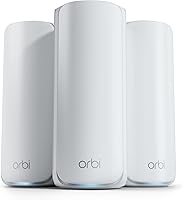
eero vs Orbi: Which Mesh System Is Better? (October 2026)
In eero vs Orbi, choose eero 6+ for a gigabit household that wants a built-in smart home hub. Choose Orbi 770 for a large, busy home or Orbi 370 for broader coverage and WiFi 7 with fewer connected devices.
On this page (10 sections)
- eero vs Orbi: which system fits your household?
- How much coverage do you need from eero or Orbi?
- Will Orbi's WiFi 7 make your internet faster?
- Which system makes sense for many connected devices?
- What do the smart home features and subscriptions add?
- How should you set up eero or Orbi?
- How should you expand and care for the network?
- What mistakes should you avoid when choosing?
- eero vs Orbi: which should you buy?
- Sources
For eero vs Orbi, choose eero 6+ for a gigabit household that wants a built-in smart home hub, Orbi 770 for a large and busy home, or Orbi 370 for broader coverage with fewer connected devices.
The choice starts with your rooms and internet plan, then your device needs. A newer WiFi standard won't fix poor node placement, and a larger coverage claim doesn't make a system necessary for a compact home.
This comparison covers these specific 3-packs. Don't assume the same advice applies to every eero or Orbi model.


eero vs Orbi: which system fits your household?
eero 6+ suits connected households, Orbi 770 suits larger networks, and Orbi 370 suits homes where room coverage matters more than a high device count. Pick the system that addresses your main limit.
eero vs Orbi for everyday use
Choose eero 6+ if your household mainly streams, works, takes video calls and connects smart home devices on a plan within its supported range. Its hub adds a useful reason to choose it if you use compatible Thread or Zigbee devices with Alexa.
Existing eero users should also consider its compatibility with previous-generation eero devices. Reuse can be useful, but place each unit where it improves coverage rather than keeping every old unit active by default.
Skip eero 6+ if your internet plan exceeds its supported speed or WiFi 7 is a firm requirement. If you only need to cover a few nearby rooms, first decide whether you need a 3-pack at all.
Orbi 770 for a large, busy home
Choose Orbi 770 when you need both a broad coverage target and room for many connected devices. A household with work computers, TVs, cameras, phones and game consoles has more reason to consider it than someone connecting a handful of devices.
Its tri-band design is another point of difference from Orbi 370. Backhaul is the connection carrying traffic between mesh units, so that part of the network matters when several rooms depend on satellites.
Skip the 770 if your current router already reaches every important room and your network has no clear capacity problem. Buying for a possible future need makes less sense than solving a limit you can identify.
Orbi 370 for rooms spread farther apart
Choose Orbi 370 when you want WiFi 7 and a larger coverage target than eero 6+, without needing the 770's higher device capacity. It fits a household whose main problem is reaching distant rooms.
Skip it if your connected-device count already approaches its stated limit. It's also a less suitable choice than the 770 when you specifically want a tri-band system.
If you're unsure whether multiple units are needed, start with whether a mesh WiFi system is worth it.
| Product | Best for | WiFi | Coverage | Device capacity | Our score |
|---|---|---|---|---|---|
| eero 6+ (3-pack) | connected households | WiFi 6 | Up to 4,500 sq. ft. | 75+ devices | 8.9 |
| Netgear Orbi 770 (3-pack) | large busy homes | WiFi 7 | Up to 8,000 sq. ft. | Up to 100 devices | 8.8 |
| Netgear Orbi 370 (3-pack) | spread-out households | WiFi 7 | Up to 6,000 sq. ft. | Up to 70 devices | 8.5 |
How much coverage do you need from eero or Orbi?
Choose coverage around the shape of your home, not just its total floor area. All 3 kits use multiple units, but walls, floors and the route between rooms affect where those units can help.
The manufacturer coverage targets are up to 4,500 sq. ft. for eero 6+, 8,000 sq. ft. for Orbi 770 and 6,000 sq. ft. for Orbi 370. These figures are planning guides, not promises for every room.
A long single-story home can be harder to cover from one end than a compact home with the same floor area. Brick, concrete and metal can also weaken the signal between units.
Before buying, mark the modem location and the rooms where you need reliable service. Then identify open spots with power outlets between those areas.
A satellite needs a useful connection back toward the main router. Putting it inside a dead zone can leave it with a weak connection to share.
Don't add extra units simply to fill empty corners on a floor plan. Closely packed nodes may add little benefit, while a better central position can solve the original problem.
Our guide to how far apart to place mesh WiFi nodes explains how to judge those locations. Plan around the path between units before choosing a larger kit.
Will Orbi's WiFi 7 make your internet faster?
Orbi gives you a newer WiFi standard and support for faster internet plans, but it can't raise the speed supplied by your provider. Your plan, devices and signal all affect the result.
eero 6+ supports internet plans and WiFi speeds up to a gigabit. It also supports a 160 MHz radio channel, which gives compatible devices access to a wider channel.
Both Orbi systems support plans up to 2.5 Gbps. NETGEAR gives maximum WiFi figures of up to 11 Gbps for Orbi 770 and up to 5 Gbps for Orbi 370.
Those WiFi figures describe wireless capacity, not the download speed promised to one phone or laptop. Don't compare them directly with your internet plan as though they measure the same thing.
A faster mesh system can help when your current WiFi is the weak link. If the connection is slow even near the main router, check your service and equipment before assuming more satellites will solve it.
Both Orbi models work with WiFi 6 and WiFi 5 devices. You don't need to replace older devices, though their own WiFi hardware still limits what they can use.
For a household with mostly older phones and laptops, coverage may matter more than the newest standard. Our WiFi 6 vs WiFi 7 guide helps you weigh that upgrade.
Which system makes sense for many connected devices?
Orbi 770 is the best fit here when device count is a leading concern. Still, count the devices doing heavy work, not just everything that appears in your network app.
The stated capacities are 75+ devices for eero 6+, up to 100 for Orbi 770 and up to 70 for Orbi 370. These numbers don't mean each connection gets an equal share of speed.
A smart bulb sends far less traffic than a computer downloading a large file. Several video calls and streams can place more demand on a network than many idle smart devices.
Make a list of what runs at the same time during your busiest hour. Include uploads from cameras or cloud backups, since upload demand can affect calls even when downloads seem fast.
Orbi 770 uses tri-band technology with Enhanced Backhaul, while Orbi 370 uses dual-band technology with Enhanced Backhaul. eero's TrueMesh routes traffic to help reduce drop-offs and dead spots.
These designs don't remove the need for good placement. If a work computer relies on a distant satellite, improving the connection between mesh units may help more than choosing by device capacity alone.
What do the smart home features and subscriptions add?
eero 6+'s built-in hub is the clearest smart home difference; optional security services are a separate decision. Start with the features you'll use before adding a subscription.
The eero hub connects compatible Thread and Zigbee devices with Alexa. Check your devices' compatibility, since support for one smart home standard doesn't mean every accessory will work.
That hub may replace separate hubs for compatible devices. It won't make an ordinary WiFi device use Thread or Zigbee.
eero offers online security and additional network management through a separate subscription. Both Orbi systems include Advanced Router Protection, automatic firmware updates and a 30-day NETGEAR Armor trial.
Armor needs a separate subscription to continue after the trial. Decide whether its extra services meet a need before treating them as part of your long-term setup.
All 3 systems receive automatic updates. Keep account access secure and review which devices are connected, since buying security features doesn't replace basic network care.
If avoiding recurring services is a priority, compare mesh systems without a subscription.
How should you set up eero or Orbi?
Use the guided app setup, position the main router openly and add satellites where they can still receive a useful signal. Both brands guide installation and allow remote network management.
The Orbi app also manages connected devices and guest WiFi. Before starting either setup, have your provider details, network name and password ready.
Check the provider equipment first
Both Orbi systems connect to an existing modem and work with cable or fiber provider equipment. Confirm your exact service requirements before buying eero 6+.
If your provider box combines a modem and router, check the recommended configuration for adding a mesh system. Running two routing layers can complicate gaming, port forwarding and access to devices.
Don't remove provider equipment without knowing which functions your service needs. For background, read whether a WiFi router is the same as a modem.
Place units before hiding cables
Start with the main router out in the open, rather than inside a cabinet or behind a TV. Keep ventilation clear and avoid placing units beside large metal objects.
Set up satellites in reachable locations first. Check the app's connection guidance before arranging cables or choosing a permanent spot.
For multiple floors, think about the route through ceilings and stairwells. The room directly above a router isn't always the best satellite location if dense materials block the signal.
Check the rooms you actually use
After setup, make a video call or stream in your office, main bedroom and other important rooms. Check again when the household is busy.
If one area struggles, move the nearest satellite a little closer to the main router and compare the result. Change one location at a time so you can tell what helped.
Reusing your old network name and password can reduce the work of reconnecting devices. Turn off the old router's WiFi when appropriate so it doesn't keep drawing devices onto the network you're replacing.
How should you expand and care for the network?
Improve placement before adding equipment, then expand with compatible units only when a coverage gap remains. More nodes aren't automatically better.
eero 6+ works with previous-generation eero devices. For the Orbi options, choose a matching-series satellite rather than assuming any Orbi unit will work.
NETGEAR rates an added Orbi 770 satellite for up to 2,750 sq. ft. of extra coverage and an Orbi 370 satellite for up to 2,000 sq. ft. Actual gains depend on placement and construction.
Both Orbi kits covered here are made for US use only. Don't choose these versions for use elsewhere.
Keep vents free of dust and avoid stacking equipment on top of a mesh unit. If you move furniture or add a large TV near a node, check nearby coverage again.
Label power adapters and Ethernet cables so a later move doesn't become guesswork. Keep account recovery details somewhere secure, and investigate unfamiliar connected devices.
For a new connection problem, check power, cables and provider service before resetting the whole network. A full reset creates more work and won't fix a provider outage.
What mistakes should you avoid when choosing?
Avoid buying by the largest speed number or coverage figure alone. The right kit should solve a specific problem in your home.
- Confusing coverage with speed: A system can reach a room while still having a weak link between nodes.
- Ignoring upload needs: Several calls, camera uploads and backups can compete for your plan's upload capacity.
- Placing satellites too far away: A unit needs a useful upstream connection before it can serve nearby devices well.
- Choosing WiFi 7 only for older devices: Those devices still work within their own hardware limits.
- Treating a trial as a permanent feature: Decide separately whether you want the ongoing security service.
- Buying a large kit for one small dead zone: A router move or a different network layout may be enough.
Value comes from matching equipment to a real need. If none of these kits fits your layout or priorities, our best mesh WiFi systems guide covers more options.
eero vs Orbi: which should you buy?
Choose eero 6+ for its hub and existing eero compatibility, Orbi 770 for a large network, or Orbi 370 for broader room coverage with lighter device needs. Use your busiest household hour and hardest-to-reach room to make the final call.
Pick eero 6+ when its plan support meets your needs and compatible smart home devices give the hub a clear purpose. Skip it when you specifically need a faster supported plan or WiFi 7.
Pick Orbi 770 when coverage and many connected devices are both priorities. Choose Orbi 370 when its coverage target fits your home and you don't need the 770's higher capacity or tri-band design.
Before ordering, identify workable node locations and confirm your provider setup. For another eero vs Orbi comparison involving a newer eero model, read eero Pro 7 vs Orbi 770.
Sources
The specifications above come from the manufacturer information for these exact 3-packs. Coverage and maximum wireless speeds describe rated capabilities, not a promised result in every home.
- eero 6+ (3-pack): See it on Amazon
- Netgear Orbi 770 (3-pack): See it on Amazon
- Netgear Orbi 370 (3-pack): See it on Amazon
Frequently asked questions
Is eero or Orbi better for a large home?
Orbi 770 is the strongest choice here for a large home, with manufacturer-rated coverage up to 8,000 sq. ft. Orbi 370 targets a smaller area, while eero 6+ has the lowest coverage figure of these kits; choose around your floor plan, wall materials and workable node locations, not square footage alone.
Does eero 6+ support WiFi 7?
eero 6+ uses WiFi 6, while both Orbi systems in this comparison use WiFi 7. Older WiFi 6 and WiFi 5 devices can connect to these Orbi models; you can keep those devices, but they won't gain every capability available to a compatible WiFi 7 device.
Can eero 6+ handle a gigabit internet plan?
Yes, eero 6+ supports internet plans up to a gigabit; that makes it a suitable option when your plan falls within that limit and its coverage fits your home. A device's actual speed still depends on its WiFi capabilities, signal strength and the other traffic sharing your connection.
Do eero and Orbi need a subscription?
A separate subscription covers extra services rather than basic WiFi use. eero offers online security and additional network management features through a subscription. Both Orbi systems include Advanced Router Protection and automatic firmware updates, plus a 30-day NETGEAR Armor trial that requires a separate subscription to continue.
Can I use eero or Orbi with my current modem?
Both Orbi systems connect to an existing modem and work with cable or fiber provider equipment. For eero 6+, confirm the connection requirements for your exact service before buying; if your provider supplies a combined modem and router, check how it should work with a separate mesh router.