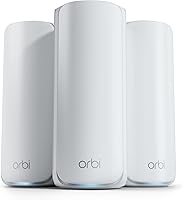
eero Pro 7 vs Orbi 770: Which Fits Your Home? (October 2026)
For eero Pro 7 vs Orbi 770, choose Orbi for larger stated coverage and eero for faster multi-gig internet plans. Your floor plan, wired devices and need for subscription features should settle the choice.
On this page (11 sections)
- eero Pro 7 vs Orbi 770: which fits your home?
- How do their speed and ports compare?
- Who benefits from WiFi 7, and who should wait?
- Which households should choose Orbi 770?
- Which households should choose eero Pro 7?
- How should you prepare for setup?
- Where should the mesh units go?
- What security features do they include?
- When is ASUS ZenWiFi BT6 the better alternative?
- What common mistakes should you avoid after setup?
- eero Pro 7 vs Orbi 770: which should you choose?
Choose Orbi 770 for a larger floor plan or eero Pro 7 for faster multi-gig internet service. In this eero Pro 7 vs Orbi 770 comparison, the right choice starts with where you need coverage and how your devices connect.
Both are tri-band WiFi 7 mesh systems, but their strengths differ. Orbi puts more emphasis on stated coverage, while eero offers faster internet plan support and compatibility with earlier eero hardware.
Before buying, write down your plan speed, the rooms with weak WiFi and any devices you want to connect by cable. Those details matter more than the biggest number on the box.
For the wider differences between these brands, see our eero vs Orbi comparison.


eero Pro 7 vs Orbi 770: which fits your home?
Orbi suits a spread-out home; eero suits faster service and existing eero networks. Neither is an automatic upgrade for a small home that already has reliable coverage.
NETGEAR rates the Orbi 770 3-pack for up to 8,000 sq. ft., compared with eero's claim of up to 6,000 sq. ft. for 3 Pro 7 units. Use those figures to narrow your options, then account for walls and floors.
A long ranch house needs coverage along its length. A tall townhouse needs useful signal between levels, and a room behind masonry can be difficult even when the total home size seems modest.
Sketch your floor plan and mark the internet entry point, office, TV area and weak rooms. If the router must sit at one end of the house, satellite placement becomes especially important.
Choosing eero Pro 7 vs Orbi 770 for your layout
Favor Orbi when reaching distant rooms is the main job. Its router and 2 satellites give you separate locations to plan around, and you can add an Orbi 770 Series satellite later.
NETGEAR claims an extra satellite adds up to 2,750 sq. ft. of coverage. Expansion still needs a useful connection back through the mesh, so another unit belongs between usable signal and the problem area.
Favor eero when your layout fits its coverage claim and its faster connections or hardware compatibility solve a clear need. Don't trade those benefits for a larger coverage number you won't use.
Our guide to how far apart to place mesh WiFi nodes explains why placing a node inside the dead zone often disappoints.
How do their speed and ports compare?
eero supports the faster internet plan, while Orbi advertises the higher WiFi speed figure. These figures describe different limits and aren't directly comparable.
eero Pro 7 supports internet plans up to 5 Gbps, with 2 auto-sensing 5 GbE ports per unit and advertised wireless speeds up to 3.9 Gbps. Orbi supports plans up to 2.5 Gbps and includes 2.5 GbE connectivity.
NETGEAR advertises WiFi speeds up to 11 Gbps for Orbi. That doesn't mean a phone can download from the internet at that speed, or that Orbi can carry a faster internet plan than eero.
Think of your connection as a chain: provider equipment, router, mesh link and device. A slower link anywhere along that route can cap the result, even when the router supports more.
Count wired connections before ordering. On an eero unit connected to your internet equipment, that connection occupies one of its 2 ports, so several nearby wired devices may call for an Ethernet switch.
Choose a switch and cables that suit the speed you actually need. A faster router won't remove a slower Ethernet limit elsewhere in the path.
Who benefits from WiFi 7, and who should wait?
Buy for a current need, such as weak coverage, faster service or capable new devices. Replacing a working network solely for the WiFi 7 label is harder to justify.
WiFi 7 features depend on compatible equipment. eero Pro 7 supports multi-link operation, but an older client doesn't gain every newer feature just because it joins a new mesh.
Orbi supports WiFi 6 and WiFi 5 devices, so those devices can remain in use. Keeping older phones, TVs and laptops is different from expecting them to reach the system's advertised wireless ceiling.
A busy home with several people working, streaming and moving between rooms has different needs from a couple using one TV and a few phones. Device activity matters as much as the number connected.
For the practical differences between generations, read WiFi 6 vs WiFi 7. Our WiFi 7 router guide helps decide whether an upgrade solves enough to be worthwhile.
Which households should choose Orbi 770?
Choose Orbi for broader stated coverage and guided management when its internet plan support fits your service. It makes sense for households trying to reach separated living areas rather than maximize a faster incoming connection.
The Orbi app provides step-by-step setup, connected-device management and guest WiFi management from anywhere. Those tools suit a household that wants a guided start and a clear way to handle visitors.
Orbi combines tri-band WiFi with Enhanced Backhaul, which helps carry traffic between mesh units. Backhaul is the connection that lets a satellite pass your device's traffic toward the router.
NETGEAR rates this system for up to 100 devices. Count cameras, speakers, plugs and other connected equipment alongside computers and phones, especially if you're building a large smart home.
Skip Orbi if your service exceeds its supported plan speed and you want to use that capacity. Also pass on this version for use outside the US, since it is made for US use only.
Which households should choose eero Pro 7?
Choose eero for faster wired connections or continuity with an existing eero network. Its compatibility is useful when replacing everything at once would waste hardware that still serves a purpose.
eero Pro 7 works with earlier eero generations and eero Built-in on select Amazon Echo devices. Older hardware can still set a lower performance limit for devices using that part of the network.
Place your most capable equipment where speed matters most, such as the office or main work area. Reusing an older node makes more sense where basic coverage matters more than maximum throughput.
eero claims support for 600+ devices across the 3-pack. That is useful capacity guidance, but hundreds of idle smart devices create a different workload from many computers moving large files at once.
Its TrueMesh, TrueRoam and TrueChannel software manages mesh connections and connection choices. eero also backs its new WiFi 7 routers with a 3-year warranty.
Skip eero Pro 7 if you're buying chiefly for included parental controls. Those controls are part of optional eero Plus, so include that ongoing choice in your decision.
How should you prepare for setup?
Check your provider equipment and plan node locations before disconnecting the old router. A mesh router supplies your home network; it doesn't replace every device needed to receive internet service.
Orbi works with cable or fiber provider equipment and connects to an existing modem. If you use Xfinity and are considering eero, our guide to using eero with Xfinity covers that setup path.
For a provider gateway that already acts as a router, follow the provider's and mesh system's instructions for the intended arrangement. Two active routing layers can complicate gaming, remote access and troubleshooting.
Have your internet account details, current network name and WiFi password ready. Reusing the old network name and password can reduce reconnecting work, though some devices may still need attention.
Connect the main unit first and confirm internet access before adding the other units. With Orbi, follow the app's guided steps rather than guessing which unit should connect to the modem.
Choose an installation time when nobody needs a video call or online exam. Keep the old equipment and its cables together until the replacement network is working throughout the home.
Where should the mesh units go?
Place units where they can receive a useful signal and serve nearby rooms. A satellite needs a connection to the rest of the mesh before it can help your devices.
Start with open shelves or other clear locations near the areas you use. Avoid hiding units inside cabinets, behind a TV or beside large metal objects.
In a multi-level home, consider the path between floors as well as the distance on each floor. A short route through dense material can be harder for WiFi than a longer route through open space.
After setup, use your normal devices in the office, bedrooms and TV area. Check the activities that matter there, such as a video call or a stream, rather than judging the network only beside the main router.
Move one unit at a time if a room remains weak. Changing several positions together makes it harder to learn which move helped.
Don't assume all 3 units must be crowded into the busiest part of the house. Give each one a useful area to serve while keeping its connection to the mesh strong.
What security features do they include?
Separate included protection from optional services before choosing. Orbi includes Advanced Router Protection and automatic firmware updates, while eero places advanced security and parental controls in eero Plus.
NETGEAR Armor comes with a 30-day trial and requires a separate subscription afterward. Its added tools address threats such as malware and identity theft.
eero Plus includes ad blocking, Malwarebytes, 1Password and a VPN powered by Guardian, alongside its network security and family controls. Check which tools you'd actually use, especially if you already pay for similar services.
Our guide to whether eero Plus is worth it can help you weigh those extras. Basic network security still depends on strong passwords and keeping connected devices current.
Use a unique administrator password and protect the account used to manage your network. Where guest WiFi is available, use it for visitors instead of sharing the main household password.
When is ASUS ZenWiFi BT6 the better alternative?
Consider ASUS if included family controls are your deciding factor. The ZenWiFi BT6 includes AiProtection Pro, parental controls, VPN support and Smart Home Master SSIDs.
ASUS rates its 3-pack for up to 7,600 sq. ft. It also supports expansion with compatible ASUS routers through Smart AiMesh.
Those features make it worth considering for a household that wants more network organization without choosing eero Plus for parental controls. Skip it if keeping existing eero hardware or adding an Orbi satellite is central to your plan.
Don't switch brands just to collect more features. Choose the controls you'll use, then confirm that the coverage and connection options fit the house.
What common mistakes should you avoid after setup?
Change one thing at a time when solving a connection problem. First work out whether the issue affects one device, one room or the whole home.
If only one device struggles, check its connection and software before moving every mesh unit. If several devices fail in the same room, placement deserves attention first.
When the whole home loses internet access, check the provider connection and main router before blaming a distant satellite. A mesh can't restore service that isn't reaching the house.
Keep units uncovered, with ventilation space around them. Remove dust from the exterior with a dry cloth, and avoid spraying cleaner into openings.
Review connected devices now and then, especially after guests leave or smart-home equipment is replaced. Keep account recovery details somewhere accessible so a lost phone doesn't become a network management problem.
Finally, don't add nodes as the first response to every slowdown. Check placement, busy devices and the incoming service before expanding the system.
eero Pro 7 vs Orbi 770: which should you choose?
Pick Orbi for reach, eero for faster service, or ASUS for included controls. In the eero Pro 7 vs Orbi 770 decision, a feature earns its place only if it solves a need in your home.
Choose Orbi when distant rooms are the priority and your service fits its supported speed. Choose eero when faster incoming service, capable wired devices or reusable eero hardware gives it a clear purpose.
If neither need applies, step back before buying a premium 3-pack. Our best mesh WiFi systems guide covers broader options, while which eero should you buy? narrows the eero range.
Use our guide to choosing a mesh WiFi system to turn your floor plan and device needs into a shortlist. For more alternatives, keep the best mesh WiFi systems guide handy.
Netgear Orbi 770 (3-pack) suits spread-out homes that need coverage across separated living areas. See it on Amazon
eero Pro 7 (3-pack) suits faster internet service and households keeping compatible eero hardware. See it on Amazon
ASUS ZenWiFi BT6 (3-pack) suits families who want included parental controls and network protection. See it on Amazon
Frequently asked questions
Is eero Pro 7 or Orbi 770 better for a large home?
Orbi 770 is the stronger starting point for a larger floor plan because NETGEAR rates its 3-pack for up to 8,000 sq. ft., versus eero's 6,000 sq. ft. claim. Walls, floor count and placement still matter, so choose around the path between rooms rather than square footage alone.
Can eero Pro 7 support a faster internet plan than Orbi 770?
Yes. eero Pro 7 supports plans up to 5 Gbps, while Orbi 770 supports plans up to 2.5 Gbps. Choose eero for service above Orbi's limit, then check the Ethernet capability of your modem or fiber equipment and wired devices so another connection doesn't restrict the benefit.
Can I reuse older mesh hardware with these systems?
eero Pro 7 works with previous eero generations and eero Built-in on select Amazon Echo devices; Orbi 770 can expand with an Orbi 770 Series satellite. Don't assume hardware from another brand or range will join either mesh, and remember that older equipment can limit performance on its network segment.
Does eero Pro 7 require a subscription?
eero Plus is optional, but its advanced security, ad blocking and parental controls require that subscription; Orbi separates its included Advanced Router Protection and automatic firmware updates from NETGEAR Armor, which requires a subscription after its trial. Decide which extra tools you need before choosing either system.
Should I consider ASUS ZenWiFi BT6 instead?
Choose ASUS ZenWiFi BT6 if included parental controls and AiProtection Pro are central to your decision. Its 3-pack has stated coverage up to 7,600 sq. ft., with Smart Home Master SSIDs and expansion through compatible ASUS routers; it deserves a look if subscription features are your main objection to eero.