5 Best WiFi Routers for Spectrum (October 2026)
The best WiFi routers for Spectrum internet include the ASUS RT-BE58U WiFi 7 Router for most Spectrum homes, the ASUS RT-BE82U WiFi 7 Router for wired home offices, and the ASUS RT-BE92U WiFi 7 Router for newer wireless devices.
On this page (8 sections)
- Which WiFi router is best for Spectrum?
- How these Spectrum router picks compare
- What should you check before buying a router for Spectrum?
- When is mesh a better choice for Spectrum?
- How do you connect a router to Spectrum?
- Where should you place and maintain your router?
- Which mistakes cause disappointing router upgrades?
- Which is the best WiFi router for your Spectrum home?
The ASUS RT-BE58U is our best WiFi router for Spectrum for most homes because it combines mesh expansion, useful network controls, and USB mobile tethering. Choose the RT-BE82U for several fast wired devices, or the RT-BE92U when your newer wireless devices can use 6 GHz.
Start with the problem you need to solve: weak coverage, too few Ethernet connections, or an aging router. Those problems call for different features, even when every option carries a WiFi 7 label.
A router shares your internet connection; it does not replace the cable modem. If the boxes are easy to confuse, read whether a WiFi router is the same as a modem.
For a spread-out floor plan, also compare our WiFi routers for large homes. A bigger advertised speed number won't carry a signal through every wall.
Our picks at a glance
-
1
-
2

-
3

Which WiFi router is best for Spectrum?
The ASUS RT-BE58U is the best starting point for an everyday Spectrum household. Move to another pick when you have a clear reason, such as several multi-gig wired connections, compatible 6 GHz devices, or a preference for Nighthawk app controls.
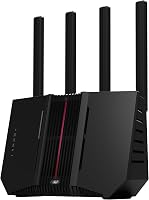
ASUS RT-BE58U WiFi 7 Router
- Dual-band WiFi 7
- USB mobile tethering
- Mesh compatible
- AiProtection Pro security
Choose this router for an everyday home network with mesh expansion and USB mobile tethering. Smart Home Master adds separate network options for connected devices.
Pros
- Mesh expansion support
- USB tethering for 4G LTE and 5G
- Smart Home Master supports up to 3 SSIDs
Cons
- No 6 GHz band
- Only one 2.5G port
Choose the RT-BE58U for a home built around streaming, video calls, smart devices, and a few wired connections. Its dual-band design serves the common 2.4 GHz and 5 GHz bands without making 6 GHz support the reason to upgrade.
ASUS rates its coverage at up to 2,000 sq ft. That is a planning estimate, so consider where the router will sit and how many walls separate it from your main rooms.
The most useful extra is USB tethering for a compatible 4G LTE or 5G mobile connection. It gives you another internet-source option, though you should confirm your mobile plan's tethering rules before relying on it.
Smart Home Master supports up to 3 SSIDs for managing devices, VPN connections, and parental controls. Separate network names can help organize a home where smart devices and personal computers need different settings.
AiProtection Pro includes a security scan and Safe Browsing. These tools add network controls without requiring you to choose the more complex tri-band model.
Skip it for several multi-gig wired devices. With only one faster Ethernet port, it is a weaker match than the next pick for a home office built around fast local file transfers.
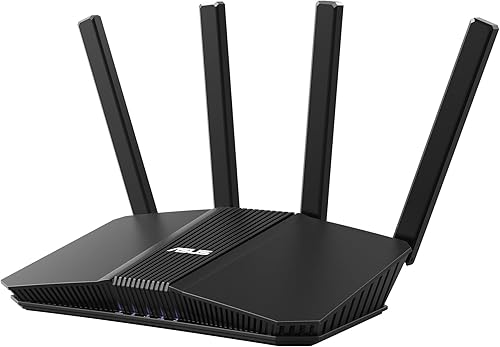
ASUS RT-BE82U WiFi 7 Router
- Dual-band WiFi 7
- Five 2.5GbE ports
- AiMesh support
- Subscription-free network security
The strongest fit here for a home office with several multi-gig wired devices. AiMesh provides an expansion path with compatible ASUS routers.
Pros
- Five 2.5GbE ports
- AiMesh expansion
- Subscription-free AiProtection Pro
Cons
- No 6 GHz band
- Multi-gig benefits require compatible connected equipment
Choose the RT-BE82U when Ethernet matters as much as WiFi. Its five 2.5GbE ports make it the clearest fit here for a desk setup with compatible computers and network storage.
Count the internet uplink among the connections you need. A port used to connect the modem is not also available for a computer, so map your cables before deciding whether you need a separate switch.
Fast local transfers are a valid reason to choose this router even if your Spectrum plan is slower. Moving files between compatible devices on your home network does not use the internet connection.
AiMesh gives you a way to expand with compatible ASUS routers. That is useful if you want one router now and discover later that a distant office needs another access point.
Subscription-free AiProtection Pro adds a security scan and Safe Browsing. This makes it worth considering if you want network security tools without an ongoing subscription for those features.
Skip it if your only complaint is a far bedroom's weak signal. Solve placement and coverage first, and consider whether a mesh WiFi system is worth it before paying for wired capacity you won't use.
ASUS RT-BE92U WiFi 7 Router
- Tri-band WiFi 7 with 6 GHz
- 320 MHz channels in 6 GHz
- AiMesh support
- USB mobile tethering
Choose this tri-band router when compatible laptops or phones can use its 6 GHz band. It also supports mesh expansion and USB mobile tethering.
Pros
- 6 GHz band for compatible devices
- AiMesh expansion
- Subscription-free AiProtection Pro
Cons
- Older devices cannot use the 6 GHz band
- Wider channels do not solve distant-room coverage
Choose the RT-BE92U when your newer devices can use 6 GHz and channels up to 320 MHz wide. It is the tri-band choice in this group, with an extra band that can move compatible traffic away from crowded lower bands.
That makes it more relevant to a laptop used near the router than a smart plug across the house. Check each important device's wireless support, since WiFi 6 alone does not mean it can connect on 6 GHz.
Wider channels can support higher throughput under suitable conditions. They do not extend range, and the best setting may depend on nearby networks and your devices.
The router also supports AiMesh, USB mobile tethering, and Smart Home Master. Those features suit a household that wants both network expansion and more control over how devices connect.
Subscription-free AiProtection Pro adds security tools, while separate network names can help organize smart devices. Its appeal is the mix of newer wireless capability and network management options.
Skip it if your devices mostly use older WiFi standards or your main goal is coverage through several walls. You would be choosing features those devices cannot use while leaving the original coverage problem unresolved.
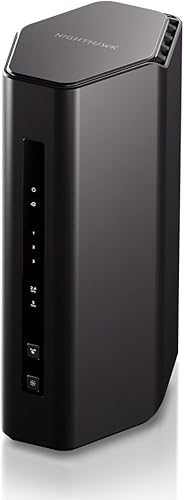
Netgear Nighthawk RS150
- Dual-band WiFi 7
- Up to 80 connected devices
- Nighthawk app controls
- Automatic firmware updates
A fit for households with many connected devices that want guided app setup. Its Gigabit LAN ports suit wired equipment that does not need multi-gig connections.
Pros
- Capacity for up to 80 devices
- Nighthawk app guided setup
- Automatic firmware updates
Cons
- Gigabit LAN limits individual wired connections
- Armor requires a subscription after its 30-day trial
Choose the Nighthawk RS150 for a connected household that wants guided setup and everyday controls in one app. The Nighthawk app covers setup, device pausing, guest networks, and connection speed checks, with active internet required.
NETGEAR rates it for up to 80 connected devices and coverage up to 2,250 sq ft. Those figures are planning guides, not promises that every device can run a demanding task at once throughout that space.
Think about activity as well as device count. A group of idle smart plugs creates a different load from several people downloading large files while others join video calls.
Its 2.5 Gig WAN connection accepts a faster internet feed, while 3 Gigabit LAN ports serve wired equipment. That is a sensible arrangement for ordinary wired TVs and consoles, but each LAN connection remains limited to Gigabit speed.
Automatic firmware updates and Advanced Router Protection are included. NETGEAR Armor adds a separate service that requires a subscription after its 30-day trial.
Skip it for a multi-gig wired workstation or if you want more than 3 direct LAN connections without a switch. Choose it for its device capacity and management approach rather than its WAN port alone.
Netgear Nighthawk RS100

- Dual-band WiFi 7
- Up to 50 connected devices
- App or browser setup
- Automatic firmware updates
Choose the RS100 for a smaller device roster and straightforward app or browser setup. Its wired connections suit everyday computers, consoles, and TVs with Gigabit Ethernet.
Pros
- Nighthawk app or web browser setup
- 2.5 Gig WAN port
- Supports WiFi 6 and earlier devices
Cons
- No multi-gig LAN connections
- Armor requires a subscription after its 30-day trial
Choose the Nighthawk RS100 for a simpler network with fewer connected devices. It offers app or web browser setup, so you can choose the setup method that suits you.
NETGEAR rates it for up to 50 connected devices and up to 2,000 sq ft in open layouts. Walls, floors, and interference can reduce that reach, making router placement especially important near the edge of a home.
Its Gigabit LAN connections suit everyday wired equipment. The faster WAN port does not turn those LAN connections into multi-gig links, so don't choose it to feed one wired computer above Gigabit speed.
Support for WiFi 6 and earlier devices means you do not need to replace your existing equipment together. A mixed household can keep older devices connected while adding newer ones over time.
Automatic firmware updates are included. Continuing NETGEAR Armor after the trial requires a subscription, which is separate from keeping the router's basic network running.
The RS100 is made for use in the US. Skip it for a growing collection of demanding devices or a difficult multi-story layout; its simpler role makes more sense when one well-placed router already fits the home.
How these Spectrum router picks compare
The main differences are wired connections, wireless bands, expansion options, and device management. We compared those features for common home setups rather than ranking solely by the largest combined wireless speed.
| Product | Best for | WiFi | Combined WiFi speed | Wired ports | Our score |
|---|---|---|---|---|---|
| ASUS RT-BE58U WiFi 7 Router | most Spectrum homes | Dual-band WiFi 7 | Up to 3.6 Gbps | 1 x 2.5G and 4 x 1G | 8.1 |
| ASUS RT-BE82U WiFi 7 Router | wired home offices | Dual-band WiFi 7 | Up to 6.5 Gbps | Five 2.5GbE | 7.6 |
| ASUS RT-BE92U WiFi 7 Router | newer wireless devices | Tri-band WiFi 7 | Up to 9.7 Gbps | Four 2.5G ports | 7.4 |
| Netgear Nighthawk RS150 | busy connected households | Dual-band WiFi 7 | Up to 5 Gbps | 1 x 2.5G WAN and 3 x 1G LAN | 7.3 |
| Netgear Nighthawk RS100 | simpler home networks | Dual-band WiFi 7 | Up to 3.6 Gbps | 2.5G WAN and Gigabit LAN | 7.0 |
Read the speed row as a total wireless capacity figure across bands. It is neither the download speed of your Spectrum plan nor a promise for one laptop.
The port row matters more if you work over Ethernet. For wireless buyers, the useful distinction is whether your devices can use the extra band and whether the router can reach their rooms.
What should you check before buying a router for Spectrum?
Check your current equipment, internet plan, home layout, and busiest devices before choosing a router. A short inventory prevents buying extra speed when the real problem is a weak signal or an old cable.
Does your Spectrum setup have a modem or a gateway?
A modem supplies the internet connection, while a gateway combines modem and router functions. Adding a router is simplest when you know which job your existing box performs.
Look for the equipment's model and setup instructions rather than guessing from its shape. Our guide to how a modem and WiFi router differ explains what each box does.
If a gateway already routes traffic, adding another router can create double NAT. That can complicate port forwarding, some online games, and incoming VPN connections.
Use the gateway's supported bridge configuration or another supported arrangement that leaves one device handling routing. Save your current settings before making changes so you have a clear way back.
How much speed does a Spectrum WiFi router need?
Match the whole connection path to your needs, including the modem's Ethernet output, router ports, and client device. The slowest link can limit that path even when the router advertises much higher wireless capacity.
For an internet plan below Gigabit speed, multi-gig ports are usually about future needs or local traffic. They will not increase the speed your provider supplies.
For a faster plan, check both sides of a wired connection. A multi-gig WAN port paired with a Gigabit LAN port still limits one wired computer to the slower connection.
Also separate download speed from responsiveness. Video calls and games need a stable connection, so connecting a fixed desk or console by Ethernet can be more useful than chasing the highest WiFi number.
Which devices can use WiFi 7 features?
The devices themselves must support the features you want. A new router cannot add a newer radio, 6 GHz support, or multi-link operation to an older phone.
MLO can use multiple bands with compatible equipment. Its availability and behavior depend on the router configuration and the connected device, so treat it as a matched feature rather than an automatic benefit for everything.
Before upgrading for WiFi 7, check the laptop or phone you use most. Our WiFi 6 vs WiFi 7 comparison explains where the newer standard changes the buying decision.
How should you judge coverage claims?
Use square-foot figures as rough planning guides, then judge the actual path from router to device. A compact open layout is easier to cover than the same area split by dense walls and floors.
Mark the rooms where a dropped connection causes trouble. An office behind masonry or a bedroom on another floor may need a different approach from an open living room near the router.
Don't use the connected-device limit as a coverage measure either. Capacity describes how many devices a router is designed to connect, while signal reach depends on placement and the building.
When is mesh a better choice for Spectrum?
Choose mesh for persistent coverage gaps when a central router cannot serve the rooms you need. One router remains the simpler choice when it already provides a steady signal throughout your living space.
Move your current router to a better location before deciding you need more hardware. A shelf near the center of the home can reveal whether placement is the main issue.
Mesh adds access points, but those points still need a good connection back to the main router. A node placed deep inside a dead zone may have too little signal to pass along.
Ethernet backhaul can help when you have suitable wiring between locations. Check the chosen system's support and port layout before planning cables around it.
Start with our complete guide to mesh WiFi systems for the basic options. Our guide to choosing a mesh WiFi system helps match the number and type of nodes to your home.
Our mesh WiFi picks for Xfinity provide another comparison of mesh options. Use Spectrum's equipment instructions for your connection, since provider setup steps can differ.
How do you connect a router to Spectrum?
Connect the modem's Ethernet output to the router's WAN or internet port, then complete the router's setup process. Confirm the modem has service first so you are not trying to solve an internet outage through router settings.
- Save your current details. Note the old WiFi name, password, and any settings you need, such as device reservations or port forwarding.
- Identify the upstream box. Confirm whether you have a modem or a gateway and choose the supported configuration for adding your router.
- Connect Ethernet. Run a sound cable from the modem or gateway's LAN port to the new router's WAN port.
- Start the equipment in order. Let the modem establish service, then power on the router and follow its setup prompts.
- Secure the network. Set a strong administrator password and WiFi password, then apply available firmware updates.
- Reconnect and check devices. Confirm that your main computer, phone, TV, and smart devices can reach the internet.
Reusing your previous WiFi name and password can reduce reconnection work. Use new credentials instead if the old password was weak or shared too widely.
If the router receives no internet connection, check the WAN cable and modem status first. A modem restart may be needed after changing routers; follow the equipment instructions and allow it to reconnect fully.
Check a nearby device before walking to distant rooms. This separates basic setup problems from coverage problems and keeps you from changing several settings at once.
Where should you place and maintain your router?
Place the router in an open, central spot with room for airflow. Keep it away from enclosed cabinets, large metal objects, and heat sources that can interfere with signal paths or cooling.
If the cable connection enters at one corner of the house, a longer Ethernet run may allow better router placement. The router does not have to sit directly beside the modem.
Keep vents clear and remove surface dust gently. Leave the router stable and upright as its instructions direct, rather than stacking other equipment on it.
Use firmware updates to keep security fixes and device support current. Check that automatic updates are enabled where available, and review settings after a major update if a device stops connecting.
Keep a record of the administrator login and a backup of useful settings. That makes replacing equipment or recovering from a reset much easier.
For smart devices that struggle to join, check their band and security requirements before changing the whole network. Use a suitable separate network where supported instead of weakening settings for every device.
Which mistakes cause disappointing router upgrades?
The most common mistake is buying capacity when the real problem is coverage. Identify where and when the connection fails before deciding which feature deserves your budget.
- Choosing by combined speed alone. That number adds capacity across bands; one device does not receive the full total.
- Confusing WAN with LAN. A faster internet input cannot overcome a slower output to your wired computer.
- Expecting 6 GHz to reach farther. The extra band suits compatible devices, but it is not a substitute for better placement.
- Counting devices without considering activity. Several busy computers can need more bandwidth than many idle smart devices.
- Overlooking service subscriptions. Separate the router's included tools from optional security services before choosing.
- Changing several settings together. Adjust one thing at a time so you can tell which change helped.
- Replacing a router during an upstream fault. If Ethernet is also slow or the modem drops service, investigate that connection first.
If a connection worsens after the upgrade, compare the same device in the same location. Then check near the router and over Ethernet to narrow the cause without relying on a single speed result.
Which is the best WiFi router for your Spectrum home?
Pick the RT-BE58U for an everyday network, the RT-BE82U for several fast wired devices, or the RT-BE92U for compatible devices that will use 6 GHz. Choose the RS150 for a busier connected household that wants Nighthawk app management, or the RS100 for a simpler setup.
Before ordering, confirm your modem connection, count your wired devices, and choose a workable router location. Those checks will do more to identify the best WiFi router for Spectrum in your home than comparing headline speeds alone.
If your current connection already reaches every room, read whether a WiFi 7 router is worth it to decide whether your devices give you a useful reason to upgrade.
Our top 3 picks at a glance
-
1
-
2
-
3
Frequently asked questions
Can I use my own WiFi router with Spectrum?
Yes, you can connect your own router to a Spectrum modem or gateway through Ethernet; keep a working modem in the setup, and check how your gateway handles an added router. If both boxes route traffic, you may need bridge mode or another supported configuration to avoid double NAT.
Do I need a modem with a Spectrum router?
Yes, Spectrum cable internet needs a cable modem or gateway before a standalone router; the modem connects to the cable service, while the router shares that connection with your devices. None of these picks replaces a cable modem, so keep the two jobs separate when choosing equipment.
Will a WiFi 7 router work with Spectrum?
Yes, a WiFi 7 router can share a Spectrum internet connection received through its Ethernet WAN port; WiFi 7 describes the wireless network inside your home, rather than the cable service. Your plan, modem, wired ports, device capabilities, and signal conditions still set the limits on usable speed.
Should I choose a router or mesh WiFi for Spectrum?
Choose one router for a home it can cover from a central position; choose mesh when distance, walls, or floors leave persistent dead zones. Our guide to mesh WiFi systems explains the options, and our mesh node placement advice helps you avoid placing nodes too far apart.